A better internet connection should make the working day easier. People can reach the systems they need, customers can contact the team, and the business has a connection chosen around how it works.
Getting there can involve more than ordering a service and plugging in a router. The building, access arrangements and the changeover all deserve attention before installation day.
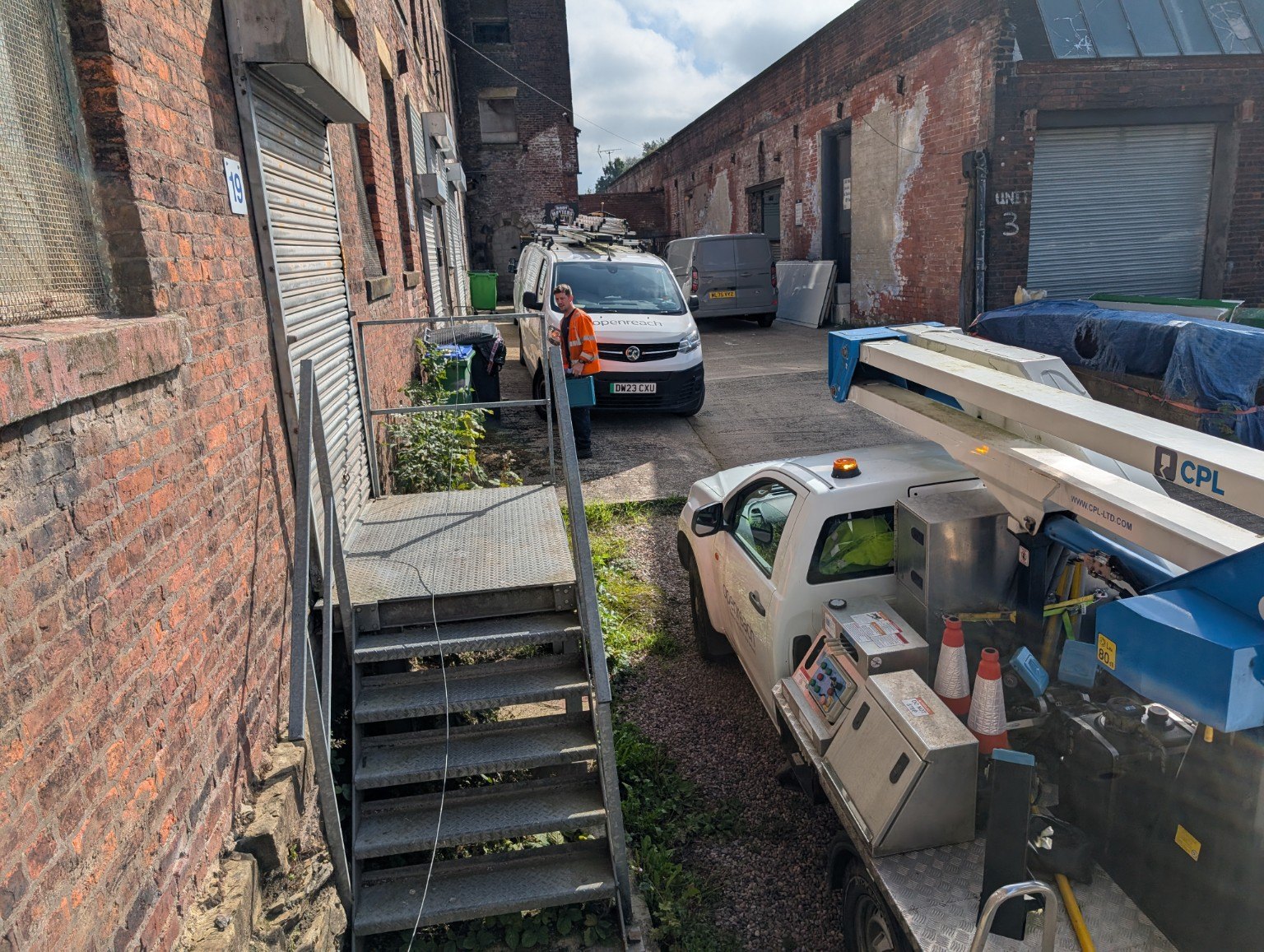
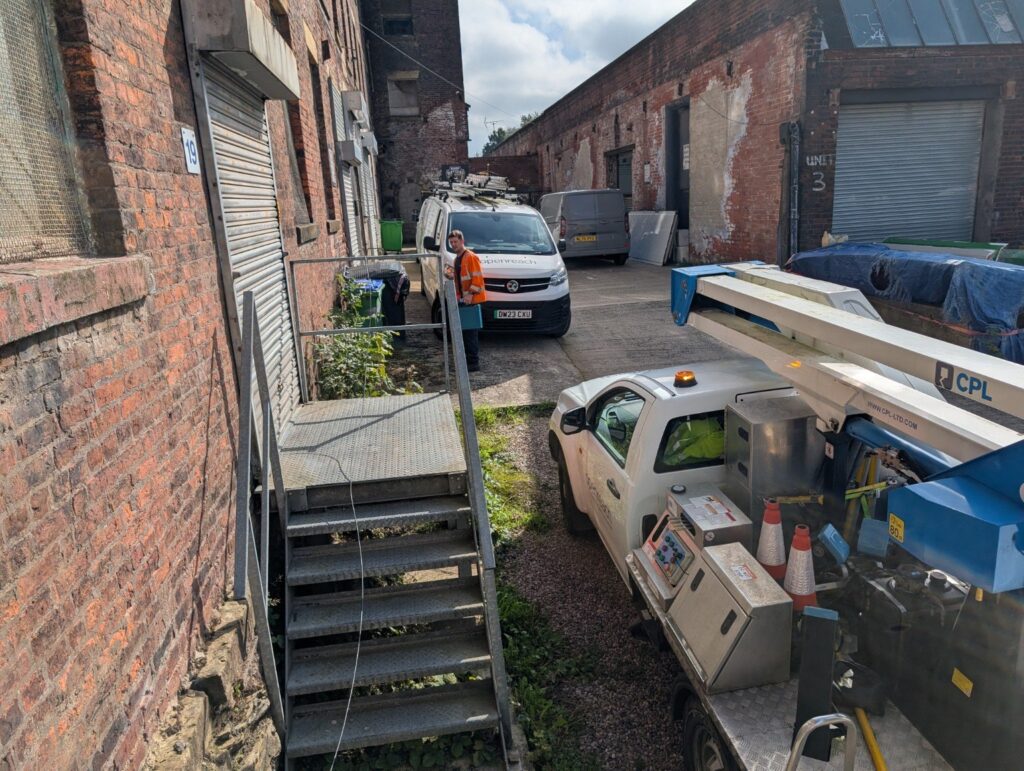
These photographs show an internet installation at brick-built business premises, with Openreach engineers and elevated access equipment on site. They capture a part of connectivity that a package comparison rarely shows: the physical work needed at the building.
That is why a useful conversation starts with the premises and the people using the service. Where does the connection need to enter? Who can provide access? Where will the equipment sit? What needs to keep working while the change happens?
Before choosing a connection, consider what the business needs to do. A team working in cloud applications, taking business calls and joining video meetings has different requirements from a site with occasional internet use.
Think about the number of people and devices, the applications they rely on, and the effect of an interruption. The aim is a practical fit for the business, with availability, costs and service responsibilities understood from the start.
For an older building, industrial unit or shared site, it is worth checking access arrangements early. Discuss the proposed route and equipment location with the provider, and establish whether the landlord or site manager needs to be involved.
Make sure the relevant areas can be accessed during the appointment and that someone is available to discuss the work. Openreach’s installation guidance explains that engineers may need access both outside and inside the premises; its wayleave guidance also sets out situations where permission is needed.

A connection can affect far more than web browsing. Email, shared files, accounting software, card payments and telephone services may all depend on it.
Agree the proposed changeover with the provider and your IT support team. Understand any expected interruption, the dependencies on the existing service and who will check that the business can work afterwards. Confirm the arrangements before cancelling an old connection.
If your business phones use an internet connection, plan the broadband and voice requirements together. Include how customers reach the team, where staff work and what should happen if the main connection or power is interrupted.
Depending on the business, it may be appropriate to consider backup connectivity or alternative call arrangements. Those options should be matched to the disruption you need to prepare for, with their limits and costs made clear.
Once the service is active, check the tasks your people actually need to complete. Can they reach their cloud applications? Does the office network provide access where it is needed? Can the team make and receive calls?
A speed test is useful, but it is only one part of the picture. The connection, router, internal network and any telephone service need to support the same working day.
Flood IT Support helps businesses consider their internet and telephone requirements together. We can discuss your premises, current arrangements and priorities, then explain suitable next steps and the scope of any proposed work.
Explore business broadband and VoIP, or talk to us about getting your business connected. Call 01706 489075.
Further reading: Openreach’s full-fibre installation checklist and access and wayleave guidance. Requirements vary by service and premises.